What I made
This is one small page that picks a single person out of a list you write down.
You type the names into a box, with commas between them. You press one button. One of those names comes up large in the frame under the button. That is the whole thing.
I made it for a plain reason. In a plan where several people take part, there is always a moment where somebody has to say, so, who is doing this part? A hand game works, but it takes time, and afterwards somebody can always say they did not really lose. A page that picks one name out of a list written in front of everyone takes that argument away. It also keeps a small record for you: the name that was shown is the name that was shown.
One honest word about the word roulette. There is no spinning wheel in this file. When you press the button, the name in the result frame changes every 80 milliseconds, eighteen times, about a second and a half, and then it stops on one name. It is closer to a very short slot machine than to a wheel. I think that is enough for deciding something, and the file stays short, which is a merit of its own: a short file is a file you can read to the end.
The code
Save this as one file with an .html ending, and it works as it is. You do not need a server, and you do not need to install anything.
<!DOCTYPE html>
<html lang=’ja’>
<head>
<meta charset=’utf-8’>
<meta name=’viewport’ content=’width=device-width, initial-scale=1’>
<title>参加者を決めるルーレット</title>
<style>
  :root {
    --card: #14181f;
    --line: #39424f;
    --text: #f3f6fa;
    --muted: #a8b3c1;
    --accent: #ffd166;
    --accent-dark: #2b2205;
  }
  * { box-sizing: border-box; }
  body {
    margin: 0;
    padding: 32px 16px 48px;
    background: #0a0d11;
    color: var(--text);
    font-family: ’Hiragino Kaku Gothic ProN’, ’Yu Gothic’, ’Noto Sans JP’, ’Meiryo’, sans-serif;
    line-height: 1.8;
    -webkit-font-smoothing: antialiased;
  }
  .card {
    max-width: 760px;
    margin: 0 auto;
    background: var(--card);
    border: 2px solid var(--line);
    border-radius: 18px;
    padding: 36px 32px 40px;
  }
  h1 {
    margin: 0 0 10px;
    font-size: 26px;
    line-height: 1.4;
    letter-spacing: 0.02em;
  }
  .lead {
    margin: 0 0 28px;
    font-size: 15px;
    line-height: 1.8;
    color: var(--muted);
  }
  .field-label {
    display: block;
    margin-bottom: 10px;
    font-size: 16px;
    color: var(--muted);
  }
  textarea {
    display: block;
    width: 100%;
    min-height: 132px;
    padding: 14px 16px;
    background: #0a0d11;
    color: var(--text);
    border: 2px solid var(--line);
    border-radius: 12px;
    font-family: inherit;
    font-size: 18px;
    line-height: 1.8;
    resize: vertical;
  }
  textarea:focus {
    outline: none;
    border-color: var(--accent);
  }
  .row {
    display: flex;
    align-items: center;
    justify-content: space-between;
    gap: 20px;
    margin-top: 18px;
    flex-wrap: wrap;
  }
  .count {
    margin: 0;
    font-size: 16px;
    color: var(--muted);
    font-variant-numeric: tabular-nums;
  }
  .count strong {
    margin: 0 4px;
    font-size: 24px;
    font-weight: 700;
    color: var(--text);
  }
  button {
    flex: 1 1 240px;
    padding: 18px 32px;
    background: var(--accent);
    color: var(--accent-dark);
    border: none;
    border-radius: 12px;
    font-family: inherit;
    font-size: 22px;
    font-weight: 700;
    letter-spacing: 0.06em;
    cursor: pointer;
  }
  button:hover:not(:disabled) { filter: brightness(1.08); }
  button:disabled { opacity: 0.6; cursor: default; }
  .result-box {
    margin-top: 32px;
    padding: 28px 24px 32px;
    background: #0a0d11;
    border: 2px solid var(--line);
    border-radius: 14px;
    text-align: center;
  }
  .result-label {
    margin: 0 0 14px;
    font-size: 16px;
    color: var(--muted);
  }
  .result-name {
    margin: 0;
    min-height: 1.2em;
    font-size: clamp(40px, 9vw, 76px);
    font-weight: 700;
    line-height: 1.2;
    color: var(--accent);
    word-break: break-word;
    font-variant-numeric: tabular-nums;
  }
  .result-name.is-message {
    font-size: clamp(18px, 4vw, 24px);
    font-weight: 400;
    line-height: 1.6;
    color: var(--muted);
  }
</style>
</head>
<body>
  <main class=’card’>
    <h1>参加者を決めるルーレット</h1>
    <p class=’lead’>名前をカンマで区切って並べてください。ボタンを押すと、その中から1人が選ばれます。</p>

<label class=’field-label’ for=’names’>参加者の名前(カンマ区切りで入力)</label> <textarea id=’names’ rows=’5’>あおい, かえで, さくら, つばさ, なお</textarea>

<div class=’row’> <p class=’count’ id=’count’>参加者の人数:<strong>0</strong>名</p> <button id=’draw’ type=’button’>抽選する</button> </div>

<div class=’result-box’> <p class=’result-label’>選ばれた人:</p> <p class=’result-name is-message’ id=’result’>まだ抽選していません。ボタンを押してください。</p> </div> </main>

<script> (function () { var namesField = document.getElementById(’names’); var countText = document.getElementById(’count’); var drawButton = document.getElementById(’draw’); var resultText = document.getElementById(’result’);

function readNames() { return namesField.value .split(/[,、\uFF0C\n\r]+/) .map(function (name) { return name.trim(); }) .filter(function (name) { return name.length > 0; }); }

function showCount() { var count = readNames().length; countText.innerHTML = ’参加者の人数:<strong>’ + count + ’</strong>名’; }

function setMessage(text) { resultText.textContent = text; resultText.classList.add(’is-message’); }

function setName(text) { resultText.textContent = text; resultText.classList.remove(’is-message’); }

function draw() { var names = readNames();

if (names.length === 0) { setMessage(’参加者の名前が入っていません。名前をカンマで区切って入力してください。’); return; }

if (names.length === 1) { setName(names[0]); return; }

var left = 18; drawButton.disabled = true; drawButton.textContent = ’抽選中です’;

var timerId = window.setInterval(function () { setName(names[Math.floor(Math.random() * names.length)]); left = left - 1;

if (left > 0) { return; }

window.clearInterval(timerId); setName(names[Math.floor(Math.random() * names.length)]); drawButton.disabled = false; drawButton.textContent = ’もう一度抽選する’; }, 80); }

namesField.addEventListener(’input’, showCount); drawButton.addEventListener(’click’, draw);

  showCount();
})();
</script>
</body>
</html>
Where the names go
The names sit on one line, inside the textarea with the id of names. Replace the five names there with your own, and keep the commas. A half-width comma, the Japanese comma 、, the full-width comma ,, and a line break all work as separators. The code splits on all of them and then drops the empty pieces, so a comma left at the end of the line does no harm.
If you forget one comma, two names count as one person. The line 「参加者の人数:」 counts what is in the box while you type, so that is where you notice. I like that line more than I expected to, because it catches the small mistakes before the draw rather than after it.
What happens when the button is pressed
The function draw() does the work.
- Empty box: it does not pick. It prints a message asking for names.
- One name: it shows that name and stops. A draw with one entry needs no theatre.
- Two names or more: the button goes grey and says 「抽選中です」. The name in the result frame changes every 80 milliseconds. At the end the last pick is made, and the button says 「もう一度抽選する」.
The pick is Math.random(). There is no seed, and nothing is recorded. The same name can come up twice in a row, and that is what a fair pick does from time to time. I would rather write this in the article than have somebody find it out in the middle of a stream.
Where the looks come from
Four values at the top of the style block hold the colours: --card, --line, --accent, --accent-dark. --accent is the amber of the button and of the big name. Change that one value and the page changes its clothes.
The size of the big name is clamp(40px, 9vw, 76px). The middle number follows the width of the page, so a wider browser source gives a bigger name. The 40px and the 76px are the smallest and the largest it will go.
The small line above the result, 「選ばれた人:」, is what gives the big name its meaning. I come back to this below, because it is the easiest place to bend the file towards a different job.
What the file looks like
The page is one dark card in the middle of the screen. From the top:
- the heading 「参加者を決めるルーレット」 and one line of explanation,
- the label 「参加者の名前(カンマ区切りで入力)」 over a box about five lines tall, holding five names,
- a row with the count 「参加者の人数:5名」 on the left and the amber button 「抽選する」 on the right,
- the result frame, with the small line 「選ばれた人:」 and, before the first press, the grey message 「まだ抽選していません。ボタンを押してください。」.
The file has 21 elements, and no tag is left unclosed. I checked that much by hand, because a missing closing tag is the kind of thing that shows up in a stream and not on your desk.
Here I should be straight with you about pictures. I do not have a photograph of this page in a plain browser, because I did not take one. My look at it was the browser source inside OBS, which draws pages with a browser engine, and that picture is further down. I would rather write that down than put up a picture I did not take.
Loading it into OBS
- Add a source in OBS and choose Browser.
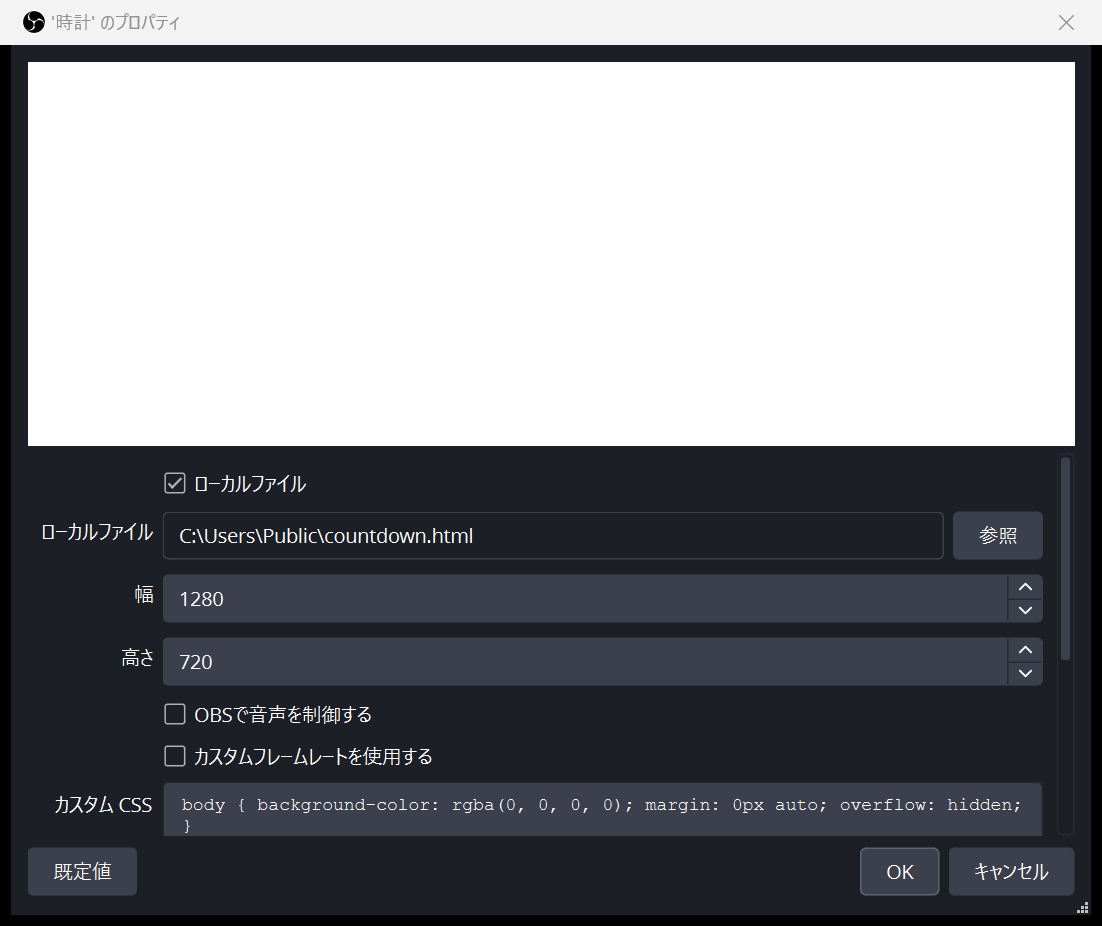
- Tick the box that says the page is a local file, and choose the HTML file. The first picture shows this part of the settings.
- Give the source a width and a height. The numbers I used are in the same picture. As I wrote above, the width decides how large the name comes out, so it is worth a moment here.
- The custom CSS box can stay as it is. The picture shows the state I left it in.
- Close the settings.
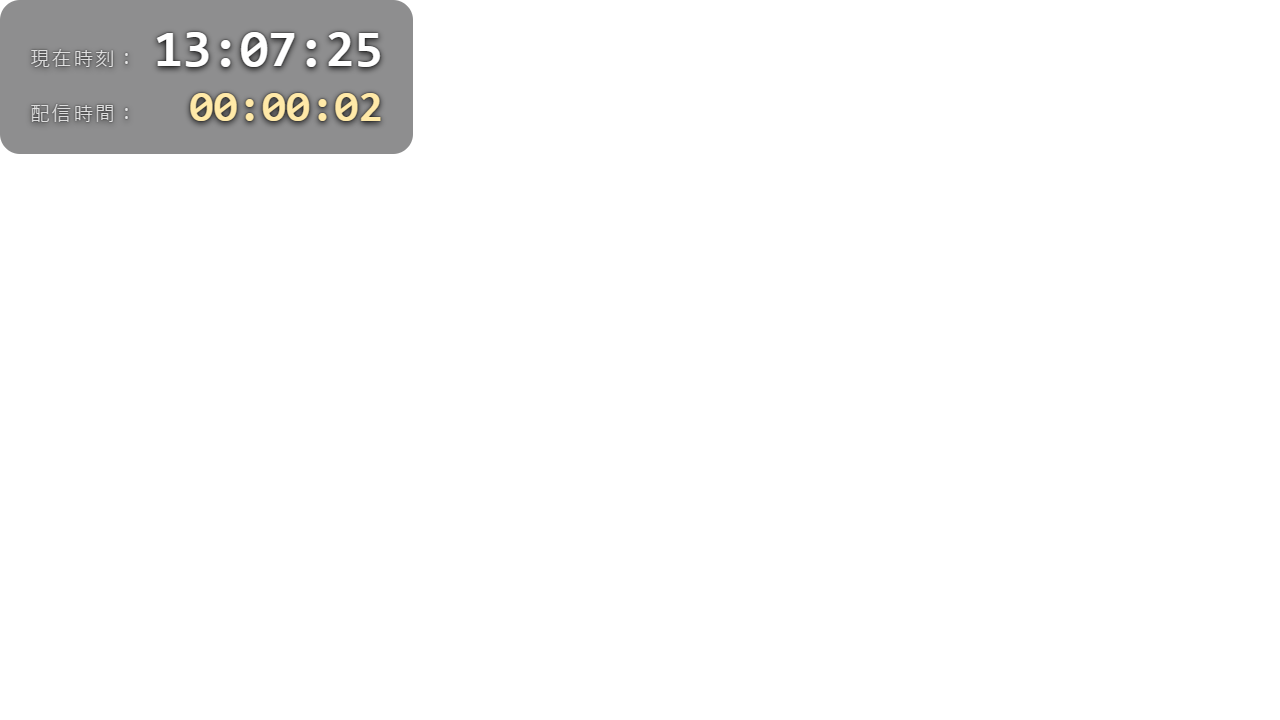
Then I pressed the button inside the source, and one name came up large. That is the second picture.
To click inside a browser source, OBS keeps an Interact window, which is in the right-click menu of the source. That is the door when a click on the preview does not reach the button, and it is also where you can type into the box without opening the file again.
And where I stop. I do not stream, so I cannot tell you how this behaves in a real broadcast, and I will not pretend otherwise. What I checked is the source inside OBS on my own desk, and that is all the two pictures show. If you stream, you will see more than I did, and I would be glad to hear what you find.
Three ways to use it
Deciding who goes first
Type the names in, press the button, and read the name out. That person goes first. Write the name down, or take it out of the box, and press again for the second place. What you see is the same as the picture above: one name in amber, large, with the button now saying 「もう一度抽選する」 under it.
The one thing to watch is the box. If you do not remove the drawn name, the same person can come up again. For a short order that is easy to live with, and for a long one the change in the next section is the better answer.
Handing out the punishment
Change two lines and the same page becomes a punishment draw. The heading goes from 「参加者を決めるルーレット」 to whatever the game is called, and the small line above the result goes from 「選ばれた人:」 to 「罰ゲーム担当:」. The drawn name then appears under that line, in the same amber as before.
One entry can carry its own note, because only commas separate the names. An entry like 「あおい(一発芸)」 is picked as one piece and shown as one piece, parentheses and all. Long entries still come out in the big size, so they wrap onto a second line if they need to; keep the notes short and the frame stays tidy.
Picking a winner for the viewers
Type the names of the viewers who entered, press the button, and the winner shows up large enough to read on the stream. The dark card gives the name its own background, so it reads as a panel rather than as text sitting loose over the game picture.
One honest note comes with this use. The pick is Math.random() with no record, so nobody can check afterwards whether the draw was fair. The screen is the only witness. Leave the box untouched from the draw until the end of the stream, and say the name out loud as it is shown, so the order of what happened stays clear to everyone watching.
Places to take it further
More names. Nothing to change. Add the names and the commas. The count line follows along on its own.
No repeats. This one needs three small edits, and I should say first that I have not run this version myself. I am showing where the change goes, not a result I have seen.
Above the functions, add an empty list for the names already drawn:
var drawn = [];
Then readNames() gets one extra condition, so a name that has already won is left out:
function readNames() {
  return namesField.value
    .split(/[,、\uFF0C\n\r]+/)
    .map(function (name) { return name.trim(); })
    .filter(function (name) {
      return name.length > 0 && drawn.indexOf(name) === -1;
    });
}
And at the end of the draw, before the last name is shown, the winner is put into that list:
var winner = names[Math.floor(Math.random() * names.length)];
drawn.push(winner);
setName(winner);
The count line then counts the people who are left, which is exactly what you want to see before the next press. To start the whole list over again, reload the page.
A sound when the name lands. Add an audio element to the page, and after the last name is shown, tell it to play:
document.getElementById(’hit’).play();
I have not tried this. Sound inside a source depends on the audio setting of the source itself, and that is a place I would rather you check on your side than take from me.
A different colour. --accent and --accent-dark, at the top of the style block.
A slower or faster shuffle. var left = 18; is how many times the name changes, and }, 80); is the gap between the changes in milliseconds. Eighteen times eighty is about a second and a half.
A larger name. clamp(40px, 9vw, 76px). The 9vw is the part that follows the width of the source.
Where the pieces came from
The HTML, the CSS and the JavaScript in this article are written by me, 辛子屋 芥子. There is no library, no framework, no borrowed snippet, no image file and no sound file in the code above. The parts that are not mine are the standard features of a browser: document.getElementById, addEventListener, classList, setInterval, Math.random, and CSS values such as clamp(). Those belong to the browser and not to one author, which is why no name is owed for them.
The screen check was done in OBS Studio.
- Official site: https://obsproject.com
- Source code: https://github.com/obsproject/obs-studio
- The project’s X account: @OBSProject
OBS Studio is free and open source, and it is the browser source inside it that draws this page with a browser engine. That is the reason a plain HTML file can sit in a stream layout at all, and it is the part I owe to other people here.
The fonts are named in the code, but none of them travels with the file. The page asks the machine for whatever it has: Hiragino Kaku Gothic ProN from Apple, Yu Gothic and Meiryo from Microsoft, and Noto Sans JP from Google’s Noto project (https://fonts.google.com/noto, source at https://github.com/notofonts/noto-cjk). If none of them is there, the browser falls back to its own standard font, and the page still works.
Nothing else was borrowed. No AI model is used anywhere in it; the picking is plain Math.random() and nothing more. If you find a mistake in what I wrote, I would be glad to hear it, quietly.
— 辛子屋 芥子
コメント